Real estate investment and development appraisal—without building another spreadsheet.
Investment and development appraisal on one page, on any device. Build transparent monthly cash flows, solve to a target return and export a formula-linked Excel model your colleagues and lenders can follow. Fast enough for initial pricing, rigorous enough for investment committee.
Nearly 30 years appraising property as an adviser, corporate financier, investor and developer, across almost every sub-asset class and on deals from under £1m to over £1bn.
Terra is currently in private beta — access is invitation-only. Request access above, or sign in if you already have an account. New accounts start with a 7-day free trial of Pro, with every feature; when it ends, choose the plan you want to continue on. Your appraisals are kept either way.
New accounts start with a 7-day free trial of Pro, with every feature; when it ends, choose the plan you want to continue on. Your appraisals are kept either way.
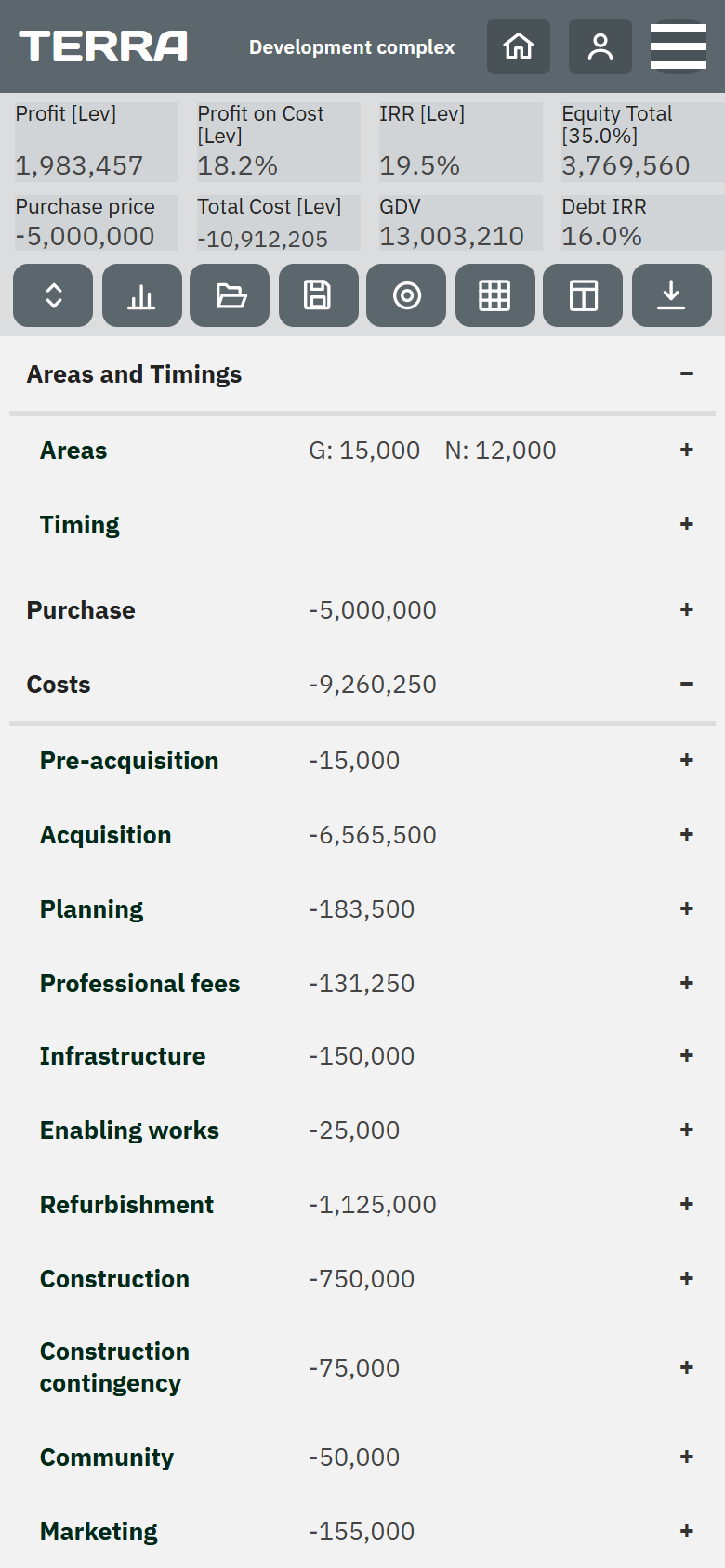
The rigour of Argus. The auditability of Excel. On any device — even your phone.
One tool, two deliverables.
Terra is not trying to replace Excel. It replaces the work of building the Excel model — and the errors that come with building it by hand.
Work fast in the Terra app; hand over a clean, professional Excel model.
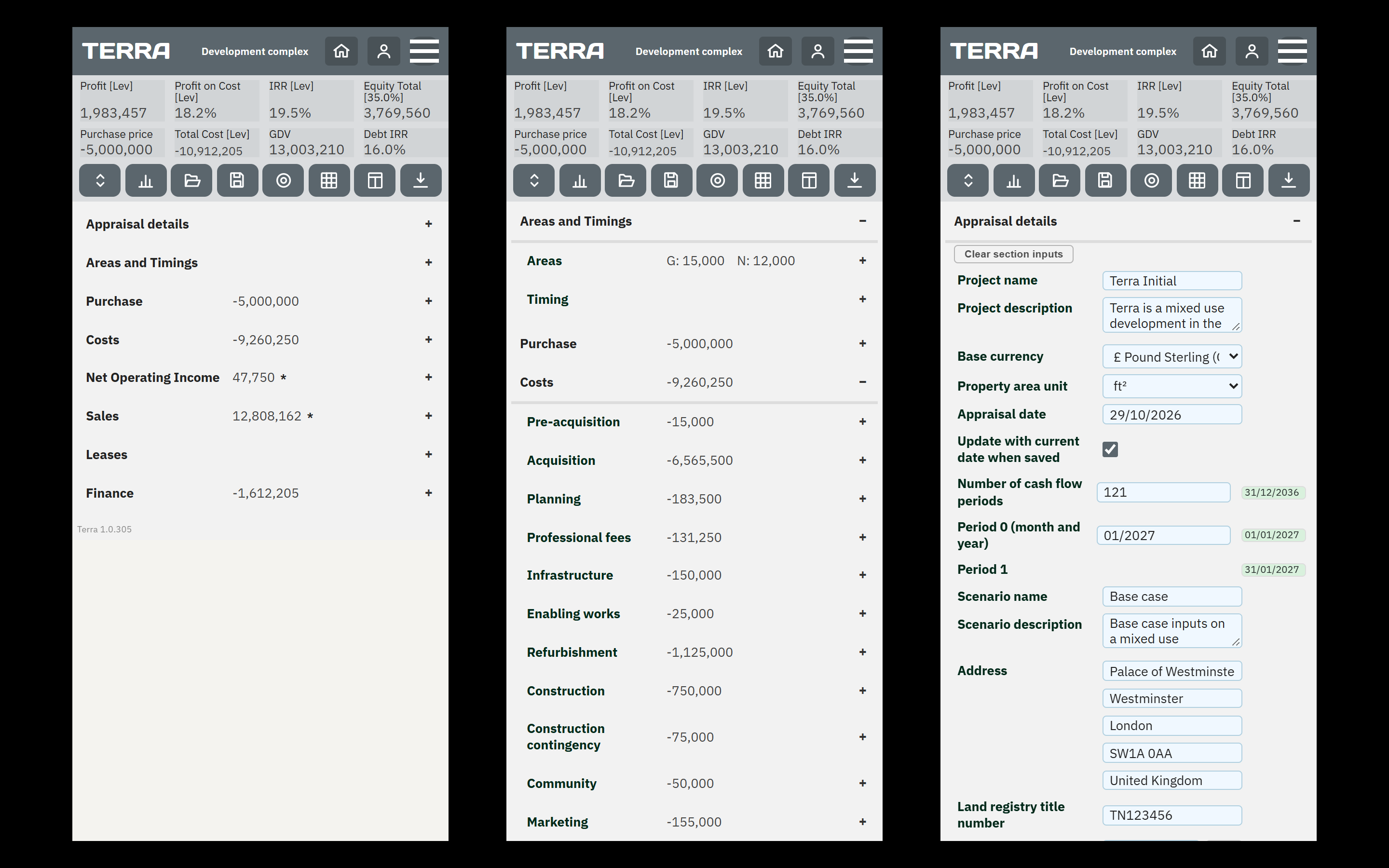
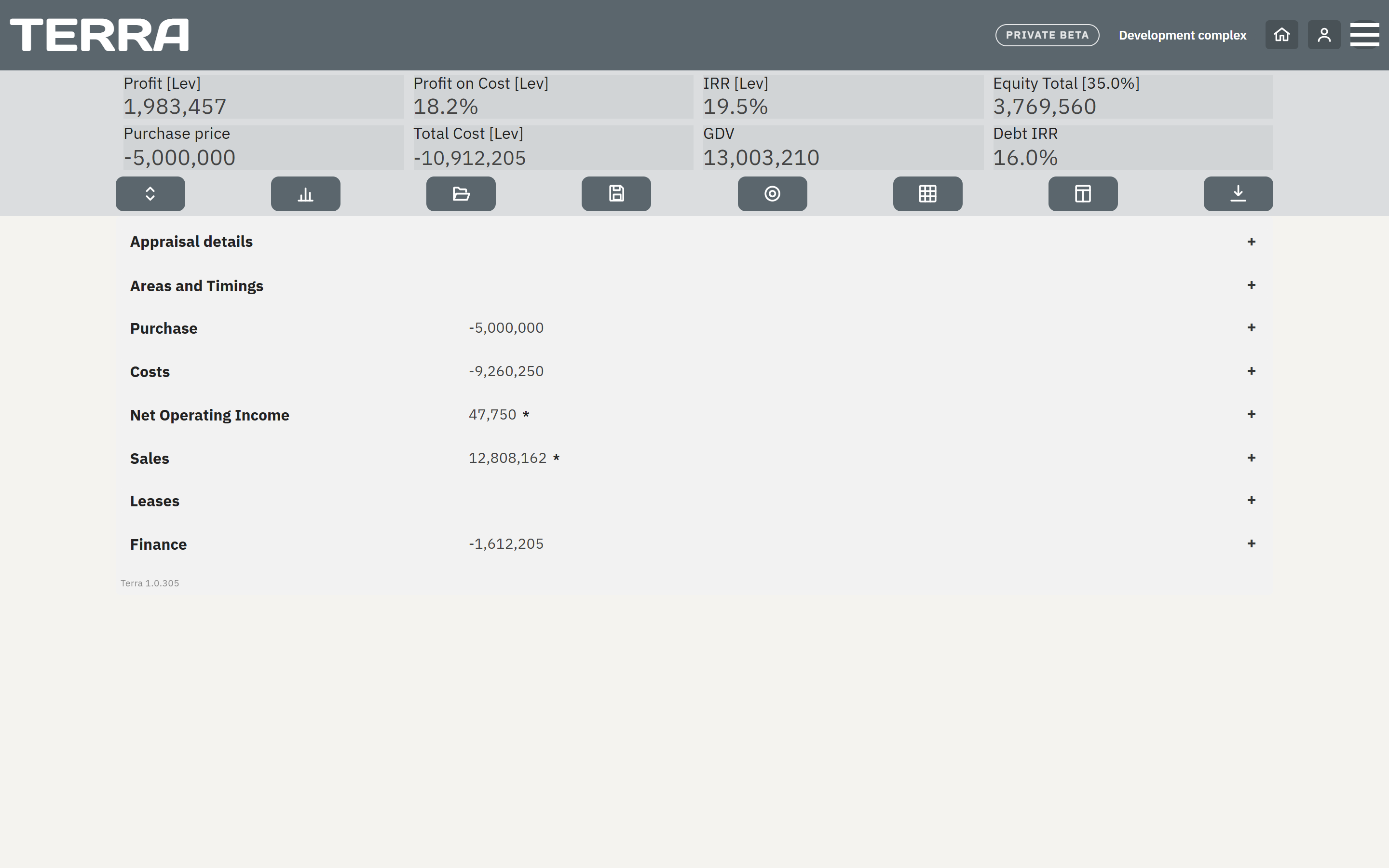
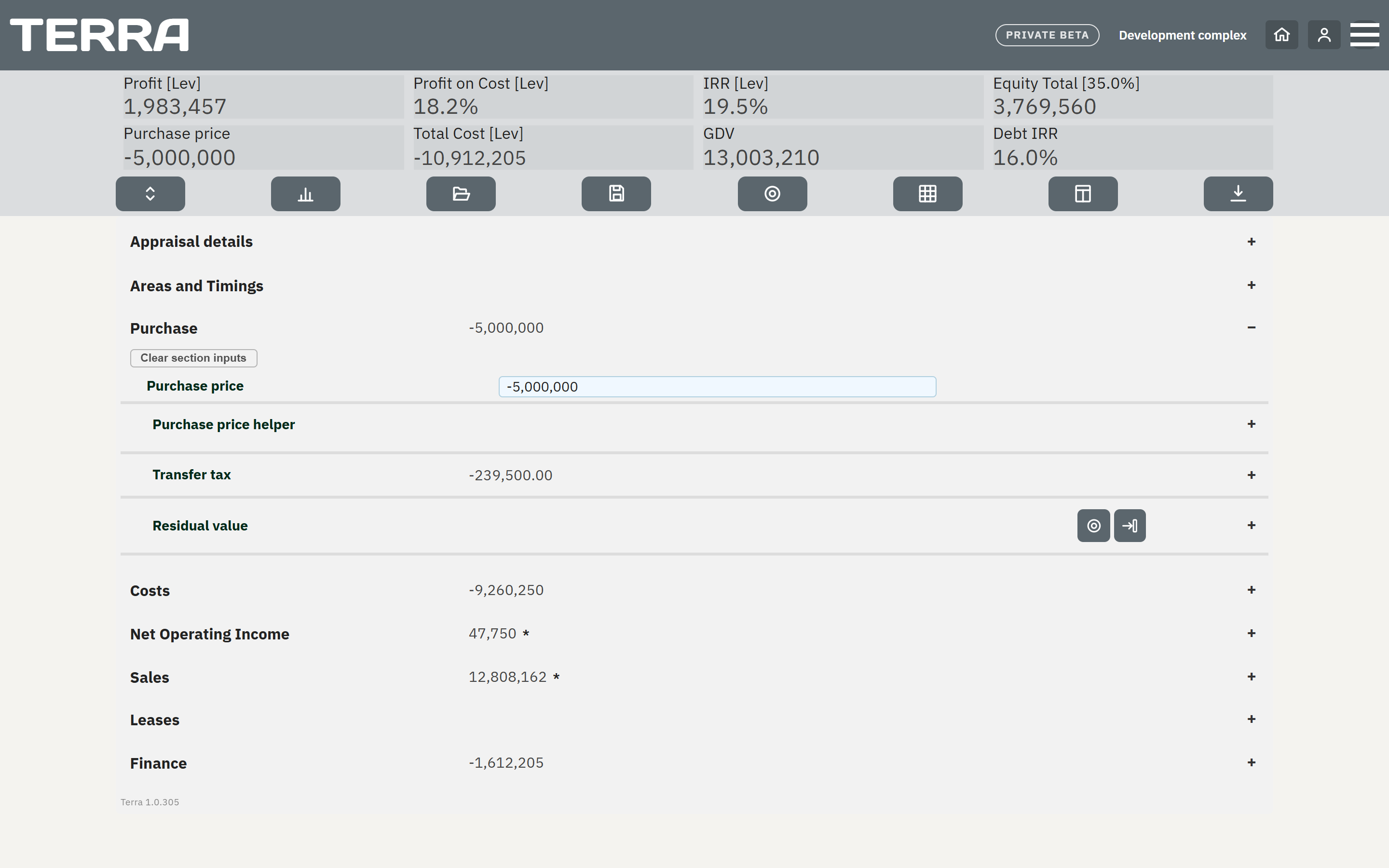
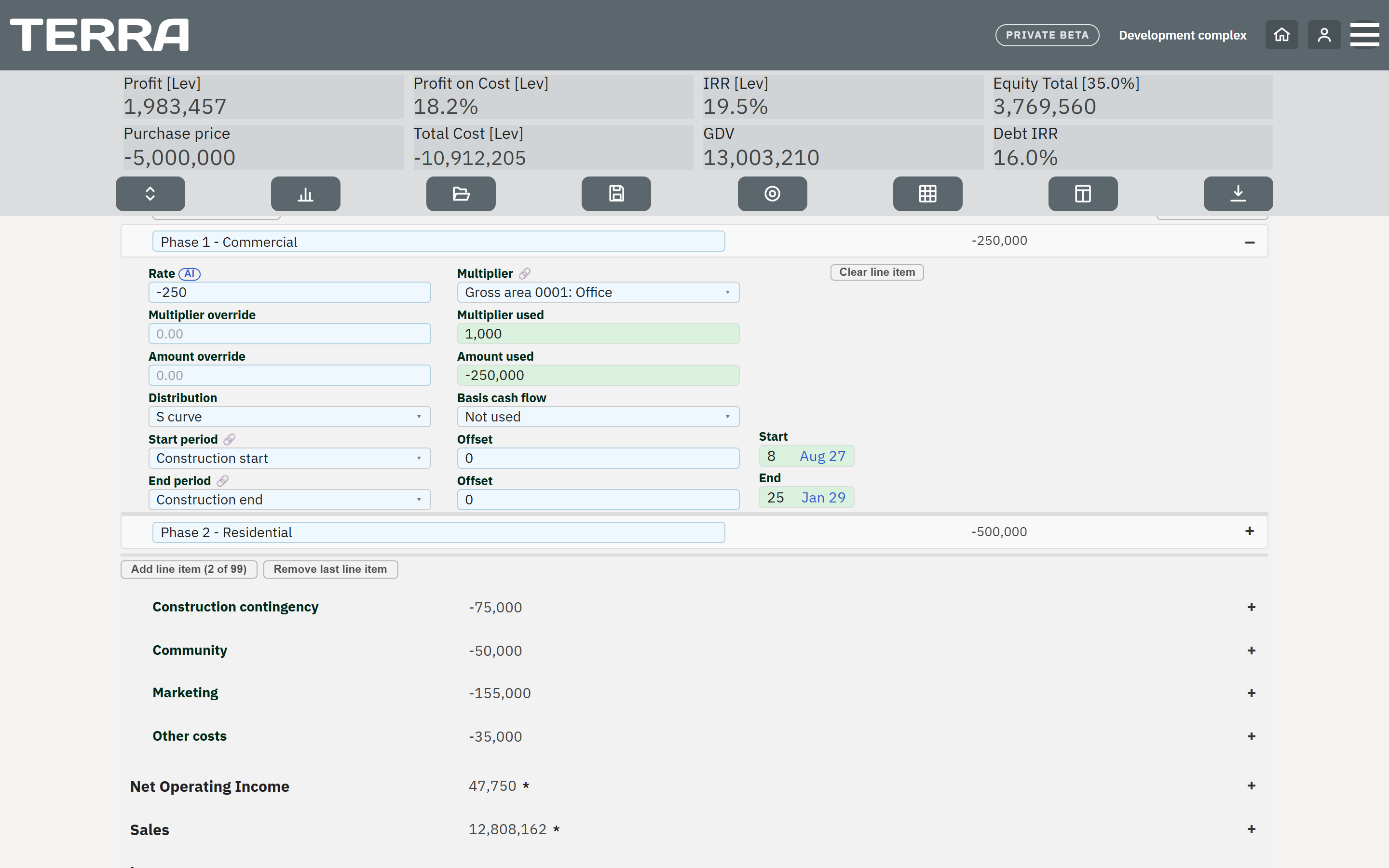
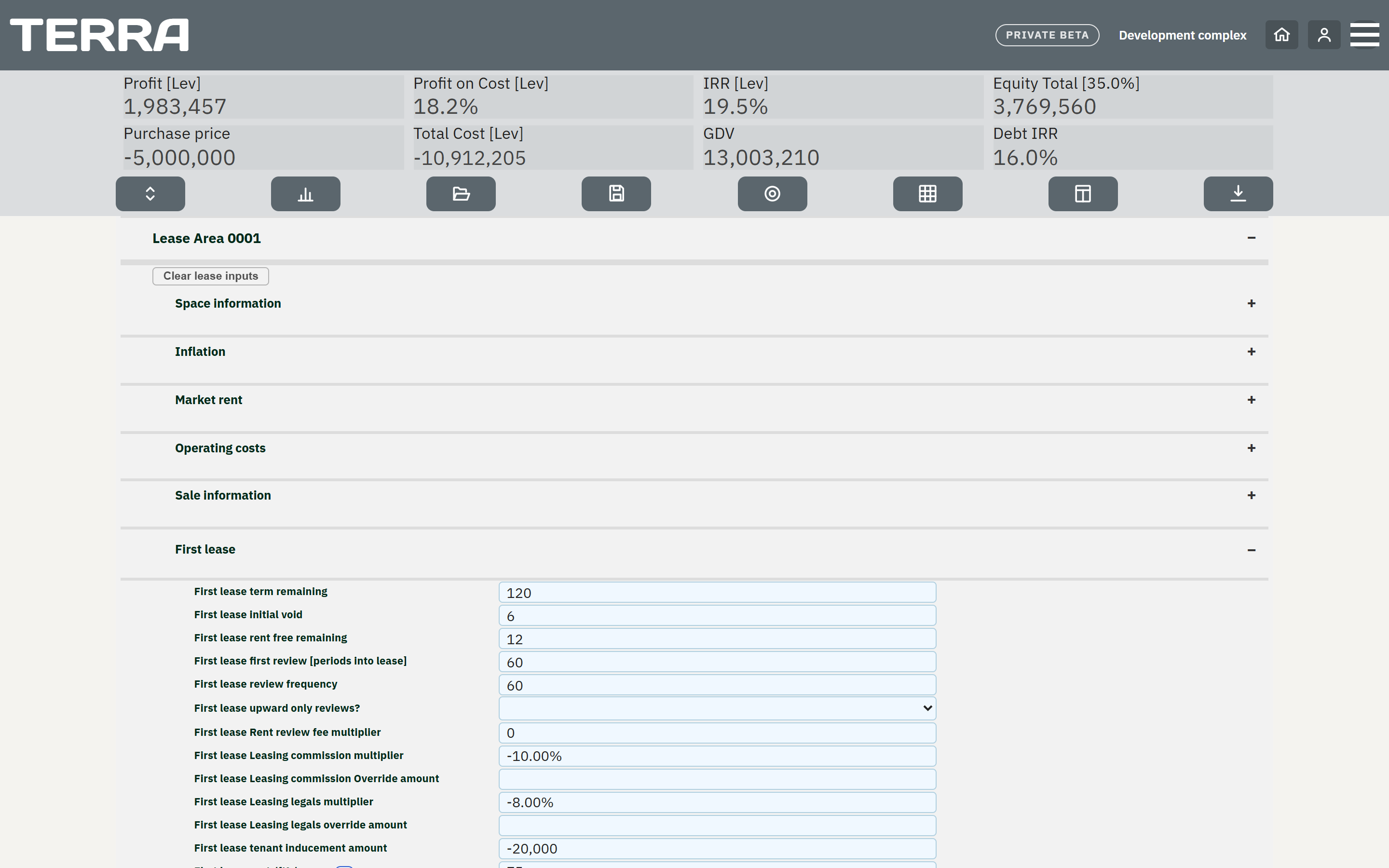
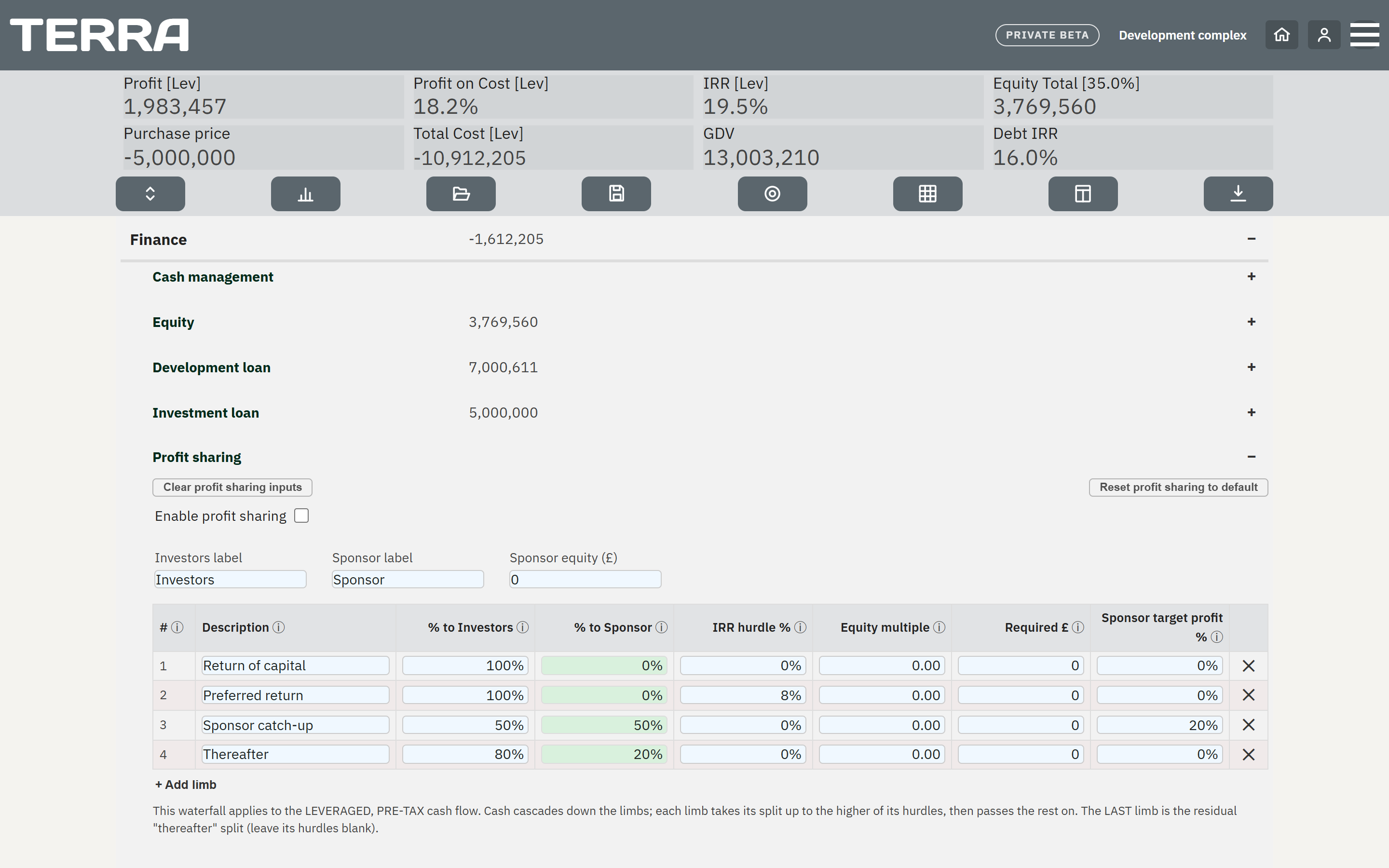
Enter your assumptions and watch the KPIs, IRRs and totals update instantly; calculate the residual land value at the press of a button, and solve to a target return. Built for speed and clarity while you're thinking about the deal.
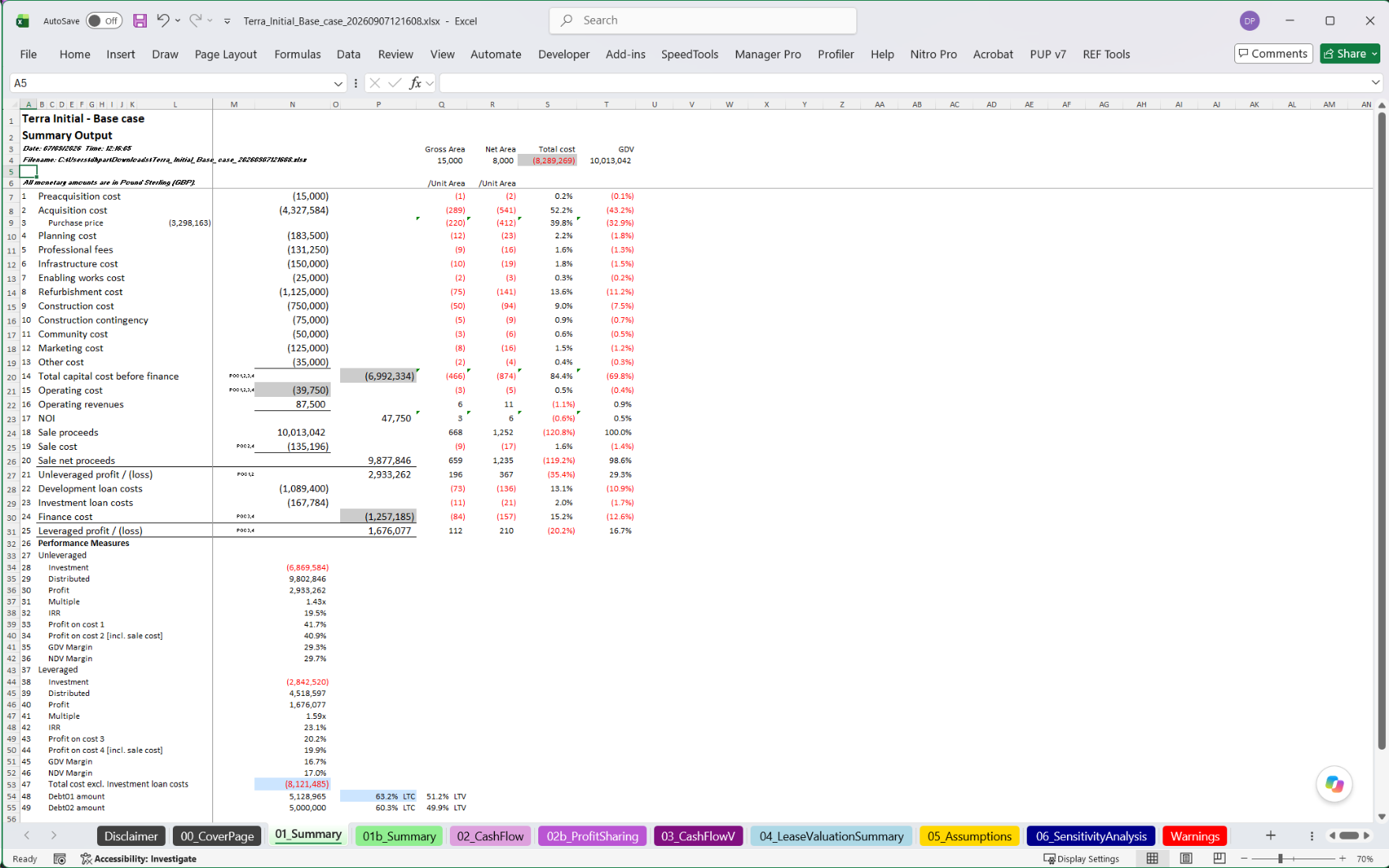
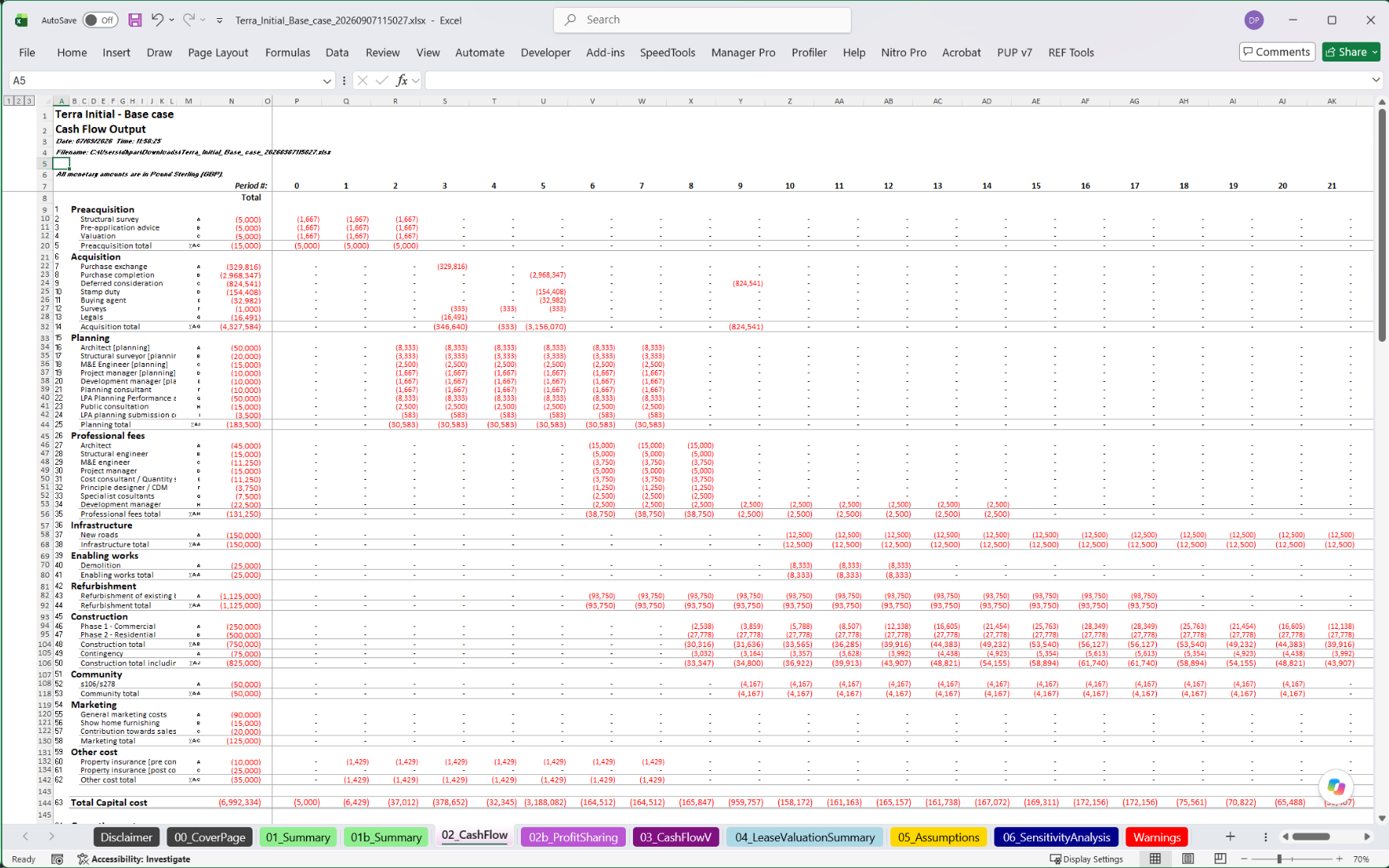
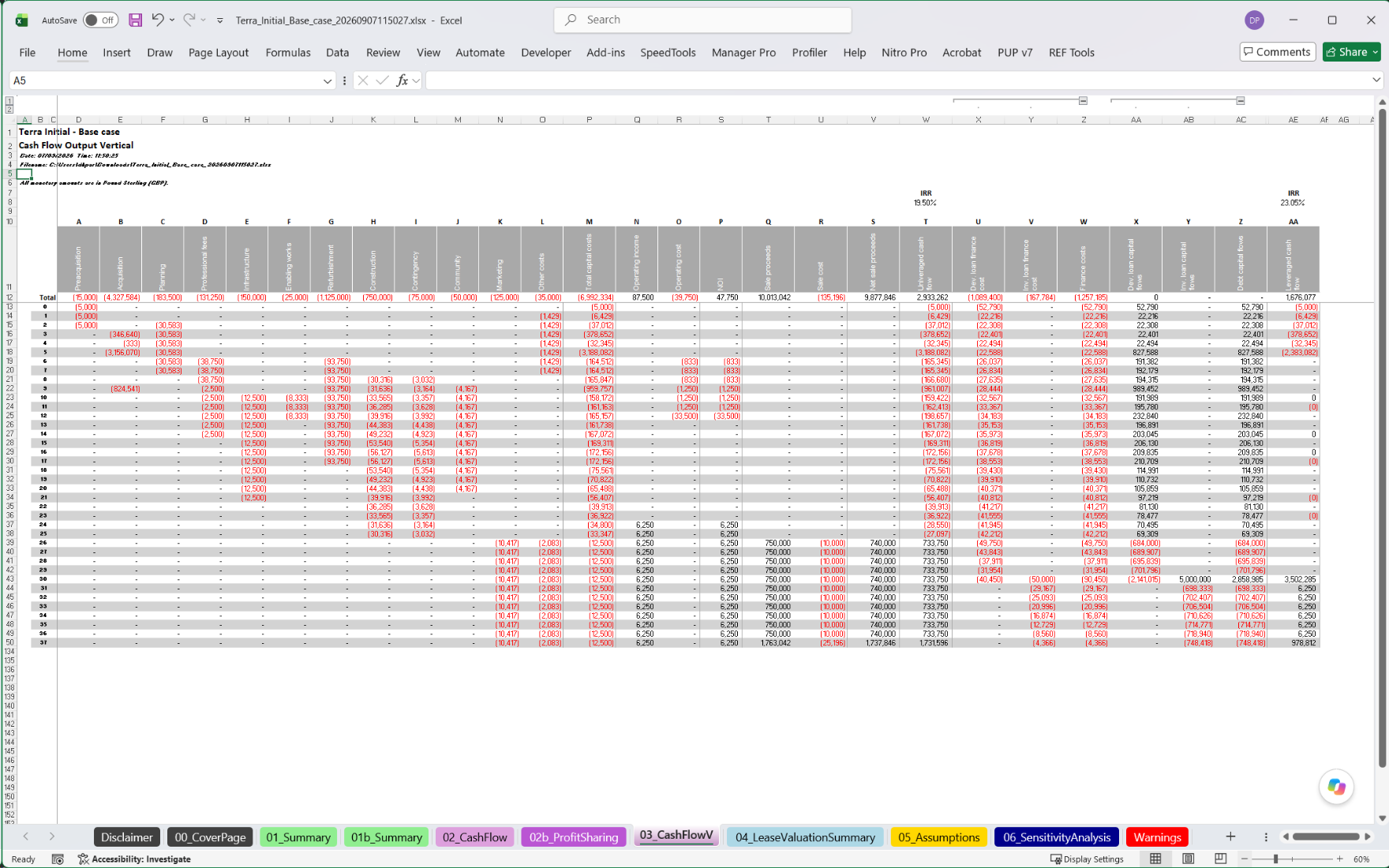
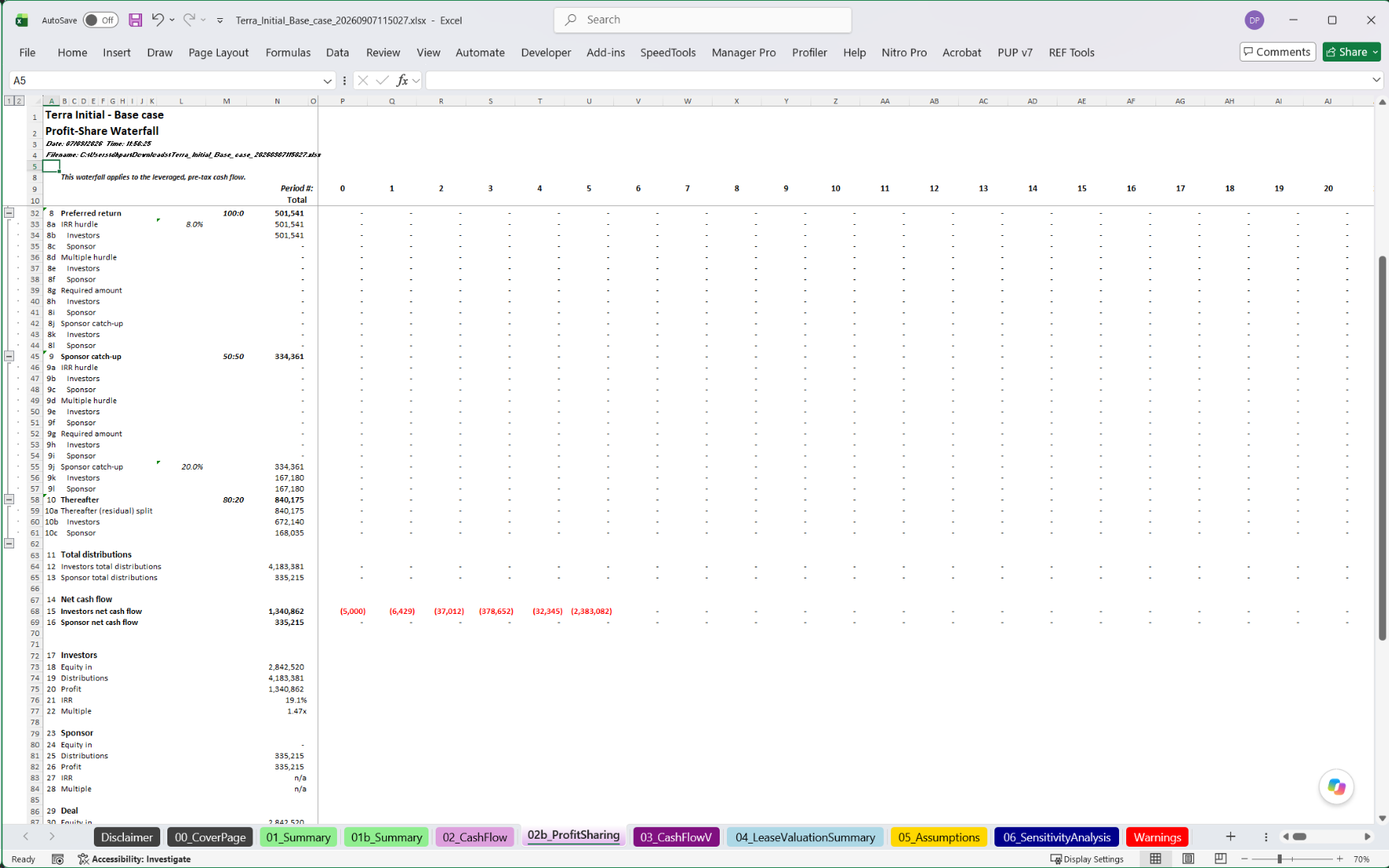
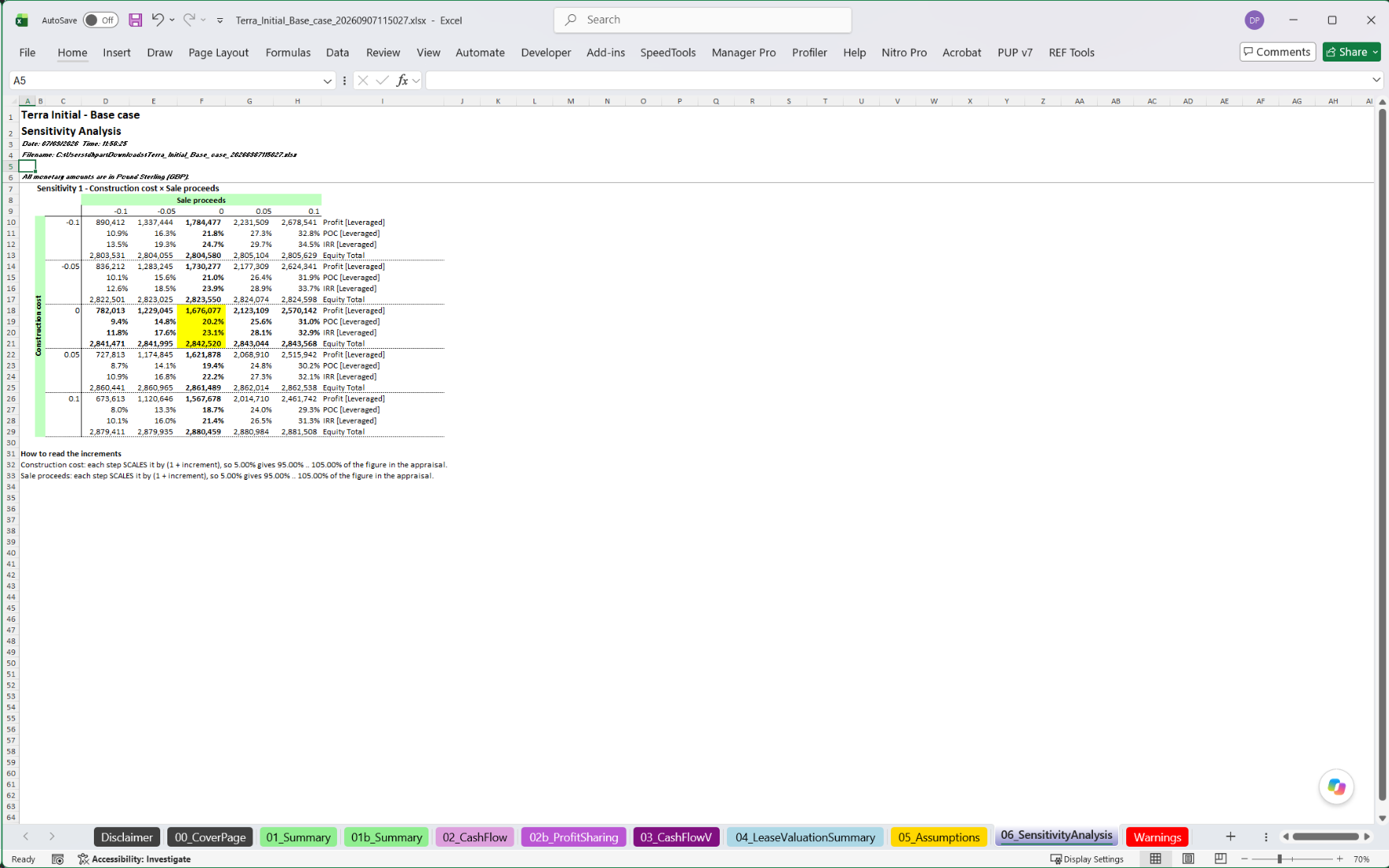
Every appraisal exports to a clean Excel model where the KPIs trace through their totals down into the monthly cash flows, and a full record of every assumption is set out on its own sheet tab — exactly what was entered in the Terra web app. A transparent model your colleagues, lenders and investment committees can follow line by line. And the file carries the appraisal itself: anyone with Terra can upload it and carry on working on your appraisal, with nothing to re-key.
Better appraisal.
Better decisions.
Technology should not replace professional judgement. It should make professional judgement easier to apply.
Every appraisal turns on assumptions only experience can set — rental growth, market rent, void periods, tenant quality, capital expenditure, exit yields, and the probability of a lease renewing. Terra will not make those calls for you.
What it does is give them a disciplined framework: one place to enter them, test them, and see instantly what they mean for value and return — so your judgement is applied, not buried in a spreadsheet.
Less time building the model.
More time thinking about the deal.
AI can help research the inputs. Terra structures the appraisal. You make the judgement.
Open the opportunity
Enter your assumptions into sixteen identical sections for cost and income, so every deal is structured the same way and two appraisals can be compared line for line.
Review the numbers
Profit, profit on cost, IRRs and equity multiples — leveraged and unleveraged, and you choose which — sit across the top of the appraisal as you work, so you can see what an assumption is worth before you commit to it.
Solve to target
Set the return you need and Terra solves back to the purchase price that achieves it — then exports the whole appraisal to Excel.
The appraisal on one page.
Everything else one click away.
Sixteen identical sections, each with up to 99 identical line items — learn one and you have learned the appraisal. The rest is a click from wherever you are on the page.
One page
The whole appraisal on one screen of collapsible sections — no tabs, modules or wizards between you and the input you want.
KPIs you choose, always in view
Thirty-five to pick from, leveraged and unleveraged side by side, arranged how you like and moving as you type.
The cash flow at a click
Every section, month by month, on screen — without opening Excel or leaving the appraisal.
Solve to one of thirteen targets
The purchase price that hits a target profit on cost, IRR, GDV or NDV margin, or equity multiple — leveraged or unleveraged — or a set amount of equity.
Sensitivity across several KPIs
One or two assumptions varied across a grid, every cell a full re-run, as many KPIs in each cell as you want. Pro
Promote waterfalls
Up to ten limbs with IRR and multiple hurdles, required amounts and catch-ups — investor and sponsor returns reported as KPIs. Pro
Leases built for a hold
Up to 99 lease areas, each with initial lease, second lease (following initial) and recurring successive leases: rent reviews, rent-free, review fees, commissions and voids — not a flat rent.
An appraisal that checks itself
Warnings appear on screen as you work and travel into the workbook on their own tab.
AI on your terms.
Research prompts
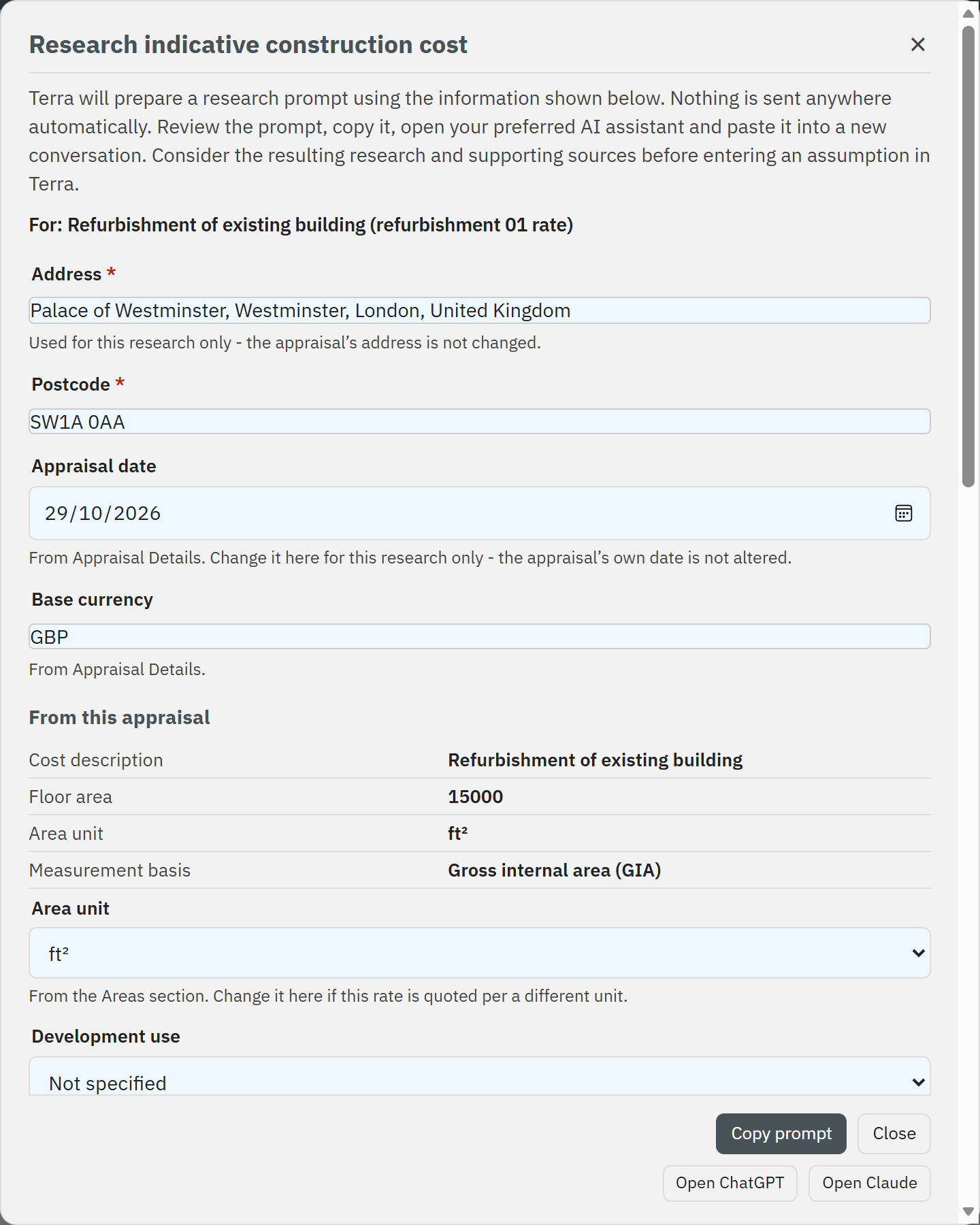
Beside every rent, construction cost, sales value and exit yield, Terra writes a research prompt from your appraisal's own details — paste it into the AI assistant you already use, and you decide the figure.
The assumptions template
Give your own AI tool the investment memorandum and Terra's assumptions template: it fills in what the documents say, citing each source, and Terra loads only those inputs — Terra itself sends nothing to any AI service.
- Download the template from Terra's menu
- Your AI fills it from the memorandum and other documents, with the page each figure came from
- Upload it: only what was filled in goes into the appraisal, and you can undo it
A residual land valuation in Terra.
A two-minute walkthrough — from opening the opportunity to a residual land value you can defend.
Starting from a blank appraisal: red flags clear as inputs are entered.
Every headline number can be followed back.
When someone challenges a figure, you can show them where it came from. In Terra's Excel model the KPIs, totals and balances are live formulas rather than pasted values, so a question about profit on cost is answered by following it down into the monthly cash flows — not by rebuilding the appraisal to check. It's the browser-based Argus alternative for people who like to see the workings, not just the answer.
- KPIs, totals and balances are live formulas — headline numbers can be followed down to the monthly cash flows behind them
- Every assumption you entered, set out in full on its own sheet
“AI can process information.
Only you
can decide what an opportunity is worth.”
Terra does not remove the professional from the process. It removes the unnecessary work around them.
Between the blank spreadsheet and the enterprise platform.
100% of what 95% of property professionals need.
Spreadsheets
Total flexibility — and total responsibility. You build, maintain and debug every model. The errors are not always small ones, and the worst are the ones nobody else can see.
The disciplined middle
Structured and fast in the browser, with a clean Excel model out the other end — so every appraisal your team produces is built the same way. No one's private spreadsheet, no version that only its author understands, and no spreadsheet to build yourself.
Enterprise platforms
Tools like Argus are the institutional standard — powerful and deep, with the complexity and the learning curve that go with it, highly priced and tied to the desktop. Terra brings the same discipline without the training, on whatever device you have with you.
Different users. Different assumptions.
The same need for better
decisions.
Commercial real estate and residential opportunities alike — development schemes and income-producing investments, appraised the same disciplined way. From development and value-add through to institutional and long-income — the same rigour whether you are pricing a site today or underwriting a twenty-year hold.
Price a site while you are standing on it.
Investment and agency surveyors
Price opportunities and advise with a defensible, consistent method.
Developers and acquisition teams
Test residual land value and appraise schemes before you commit, and compare sites line for line.
Investors and fund managers
Underwrite acquisitions and model returns for a multitude of sub-asset classes, from a simple investment through to long-income and development opportunities.
Valuers and advisers
Produce transparent valuations clients and lenders can interrogate.
Thinking on appraisal methodology and the market.
Why the Housebuilders Are Leaving London
One London scheme, solved in Terra from 2021 to 2026: build costs, finance, the second staircase and Gateway 2 take its land value from £6m to minus £9m — and what the emergency package buys back.
The Return of Price Discipline
Senior debt now costs more than prime yields, prime property sits at or below the gilt, and the exit yield is not yours to assume — why the appraisal is the decision again.
Residual Land Valuation: The Double-Counting Trap
How finance is treated in a residual appraisal — and why it quietly distorts the equity return calculation.
Frequently asked questions.
Is Terra an Argus alternative?
Does Terra work on a phone or tablet?
What is residual land valuation?
Can I export my appraisal to Excel?
And it comes back: upload a Terra Excel model into Terra and its assumptions are read straight back in, so you can change them and recalculate without re-entering the appraisal.
Does Terra do investment appraisals as well as development appraisals?
Which investment strategies does Terra support?
Can I run a sensitivity analysis?
Can Terra model a profit-sharing or promote waterfall?
Is my data private and secure?
Repeated sign-in attempts are blocked automatically, and password reset links work once and expire within the hour.
Can I request a feature?
How do I get access?
Open the opportunity. Enter the assumptions. Know what it is worth.
Terra is in private beta for property professionals.
Built for property professionals.
Monthly plans carry a minimum term and can then be cancelled at any time. Annual plans continue until the end of the period paid for.